Digital Media Project

Digital Media Project using Scratch – April 6

For our group’s digital media project, we decided to use the open source software Scratch to create an educational video that would teach students about the different animal species. Each of our group members first chose their species of animal they would like to do research on and make a video about. The animal species I chose was birds. I first began my part of the project by doing a research of interesting facts about birds, and then using Scratch to make an animation where the main character Abby would interact with a bird to learn about birds.

Digital Media Project – Scratch as a powerful education tool to teach students about animal species.

The video above is our finished project where it has the individual videos created by each of our group members combined using iMovie.
MART #2 Assignment

Mitigating Anxious Response to Technology (March 30, 2019)

In the second MART (Mitigating Anxious Response to Technology) assignment, I used an open source programming software named Scratch to create three projects of different goals. The assignment consisted of making three projects using Scratch, where each project would focus on a specific Unit that covers specific lessons.

For Unit 1 of Scratch, I used 10 blocks to create a short animation.

Basic 10 blocks

For Unit 2 of Scratch, I used a variety of coding blocks to create a band performance.

Build-A-Band

For Unit 4 of Scratch, I used a variety of coding blocks to make an interactive game.

Starter Games

In this assignment, the four cornerstones of computational thinking are highly involved. These cornerstones are: algorithms, decomposition, pattern recognition and abstraction. Scratch, as a programming software that is designed to target these four cornerstones of computational thinking, is thus an excellent educational tool to use in the classroom.

MART #1 Assignment

Mitigating Anxious Response to Technology (February 2, 2019)

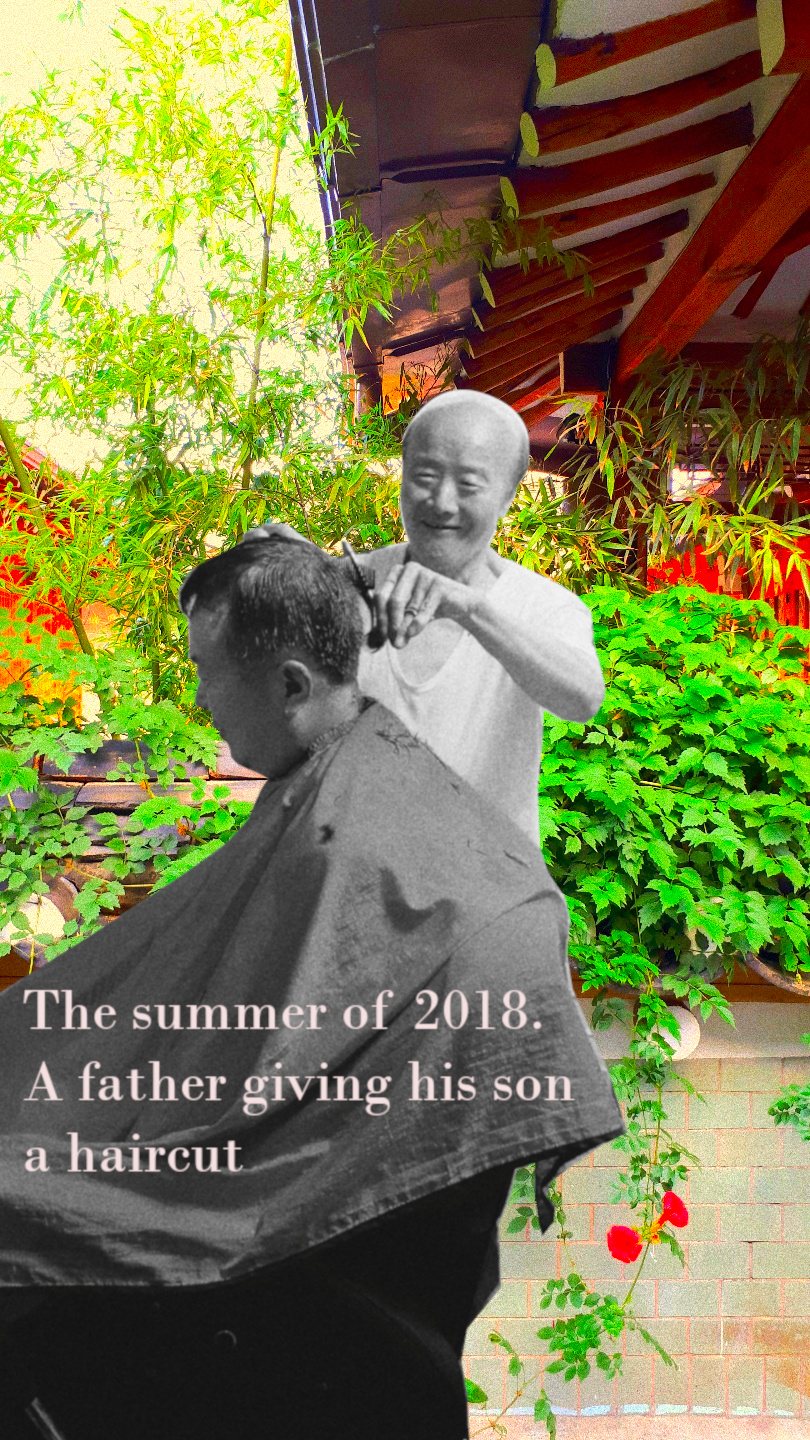
In the first MART (Mitigating Anxious Response to Technology) Assignment, I was asked to familiarize myself with an open source photo-editing software named GIMP. As an Adobe Photoshop user, I was new to this software GIMP, and was not very thrilled at the idea of experimenting with an unfamiliar software and was in a way afraid to get started on the assignment. However, with a few hours of experimenting with the software, I was able to familiarize myself with the various functions within this software and successfully complete the tasks for this assignment.

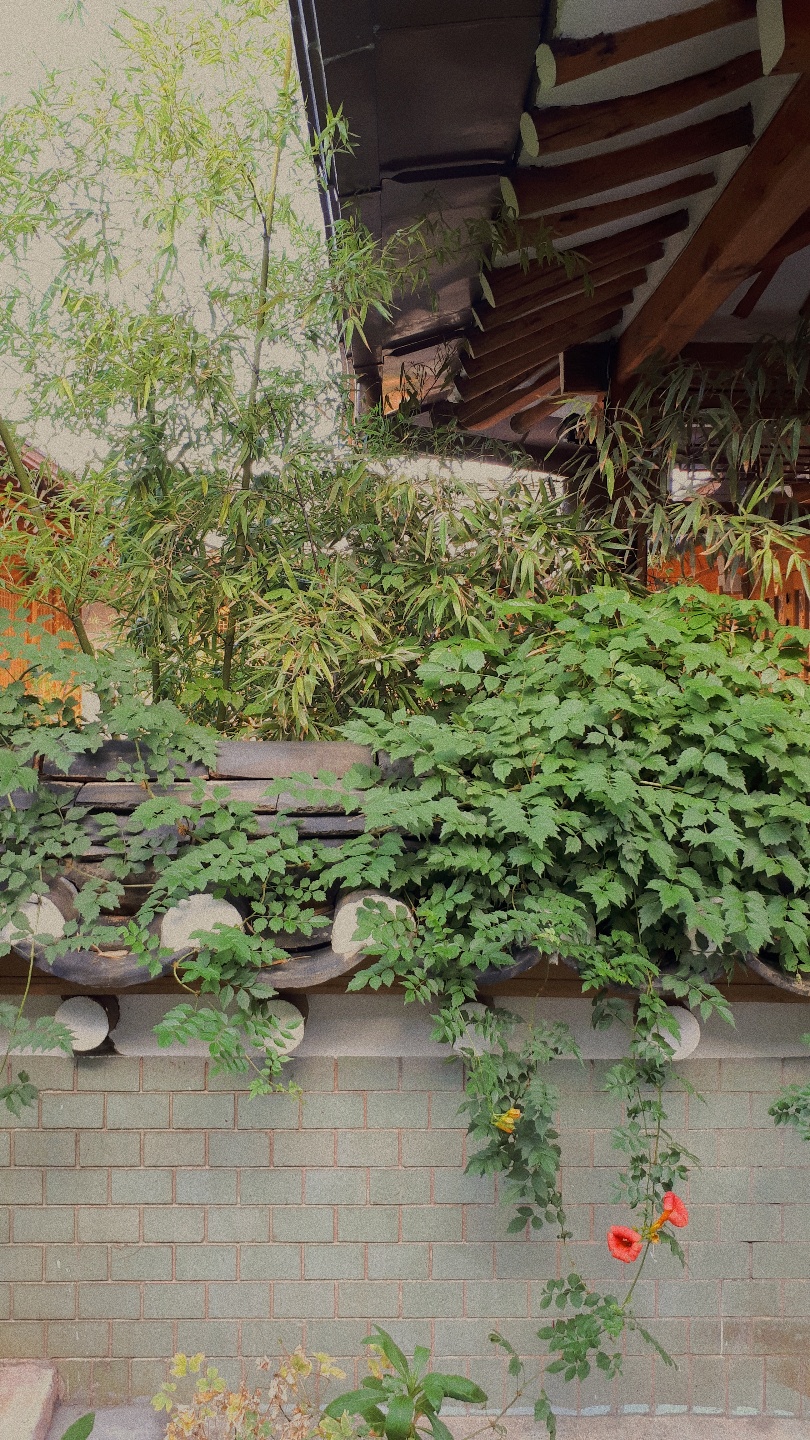
Background image Original
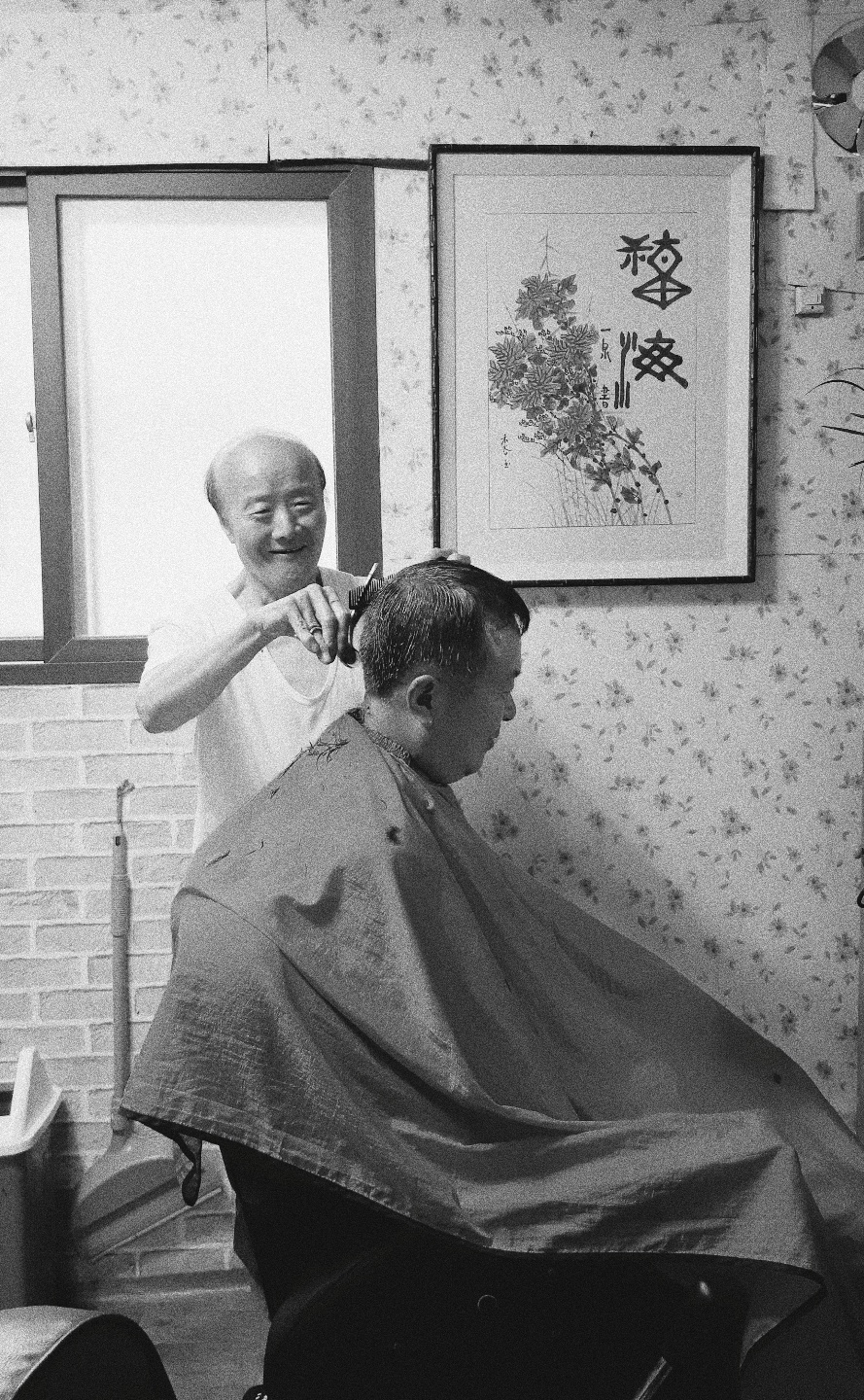
Foreground image Original

The two images above are the original images I worked with to create the final product below. Some of the functions that I used to create the final image are <scale image> <transform> <duplicate layer> <text> and <paths tool>.

Final product using GIMP

The final image is a combination of the two original images and it has the foreground image flipped horizontally, with the two figures (my grandfather and my dad) cropped from the rest of the image. The background image has been saturated in colour and has been placed behind the foreground image. As the last edit, text has been placed on top of the foreground image to complete the project.